The real question is break-even, not build versus buy
"Build versus buy" frames the choice as a one-time decision between two products. That framing hides the thing that actually decides it: time. A subscription CRM and a custom CRM do not cost different amounts — they cost different amounts shaped differently over time.
A subscription is a rental. It is cheap to walk into and it never stops charging you, and the bill grows every time you add a seat. A custom build is a purchase. It is expensive to acquire and then comparatively cheap to keep, but you carry the maintenance and the risk yourself.
So the honest question is not "which is cheaper" — it is "cheaper over what period, at what headcount". Below a certain size and time horizon, renting wins comfortably. Above it, owning can win. Break-even is simply the line between those two worlds, and your job is to work out which side of it you are on.
The two cost curves you are actually comparing
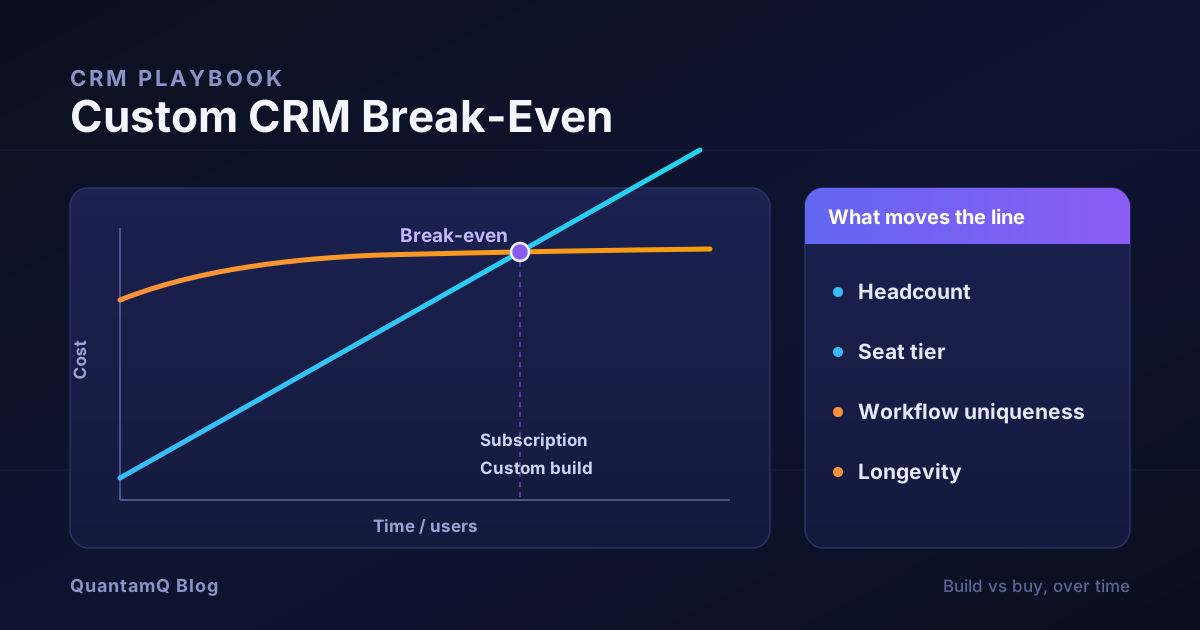
Picture two lines on a chart, both starting at zero and running left to right as months pass.
The subscription curve starts near the origin and climbs at a steady angle. Its slope is set by your user count multiplied by the per-seat price. Low-cost CRMs commonly sit somewhere around the tens of dollars per user per month, while premium and enterprise tiers climb well beyond that. Add users or move up a tier and the line gets steeper. It never flattens — it just keeps rising for as long as you use the product.
The custom curve starts high. On day one you have spent real money on discovery, design, build, and data migration before anyone logs in. Then the line almost flattens: once the system is live, your ongoing cost is hosting plus maintenance, which is a gentle slope rather than a steep one.
The whole decision lives in where those two lines cross. Early on, the custom line is far above the subscription line — you have paid a lot and the renter has paid little. Over time the subscription line keeps climbing while the custom line barely moves, and eventually the subscription total catches up. That intersection is your break-even point. Before it, buying was cheaper. After it, building was.
How to work out your break-even point
You do not need a financial model. You need four numbers and some arithmetic you can do in a spreadsheet.
- Annual subscription cost. Users multiplied by per-seat monthly price multiplied by 12. Use the tier you would realistically be on, including the paid add-ons you actually need, not the headline entry price.
- One-off build cost. A realistic estimate to design, build, migrate, and launch a system that genuinely replaces the subscription tool — not a stripped-down demo.
- Annual maintenance. Budget a meaningful slice of the build cost every year for hosting, updates, fixes, and changes. A commonly used planning range is on the order of 15 to 25 per cent of the original build cost per year.
- Time horizon. How many years you realistically expect to run this system before a rebuild or major change.
The variables that move the line
Break-even is not a fixed number. A handful of variables push it earlier (favouring building) or later (favouring buying), and knowing which ones apply to you matters more than any benchmark.
- Headcount and growth. The subscription curve is driven by seats. A team of five moves the break-even point out to the distant horizon; a team of eighty, each on a paid seat, can pull it in dramatically. If you are growing fast, model the seat count you expect in two or three years, not today's.
- Subscription tier. The jump from a mid tier to an enterprise tier — often forced by one feature, one integration, or one compliance requirement — can double your per-seat cost overnight. A build looks very different when compared against a premium tier rather than a starter plan.
- Customisation depth. If you would heavily customise, extend, and bolt add-ons onto a bought CRM to make it fit, you are already paying a "build tax" on top of the subscription. That narrows the gap and moves break-even earlier.
- Workflow uniqueness. A standard sales pipeline is a solved problem that vendors have refined for years — building your own version of it rarely pays. A genuinely unusual process that no off-the-shelf tool models well is where custom earns its keep, because the alternative is bending your business to fit the software.
- Longevity. Break-even only matters if you cross it. A system you will run for a decade has time to pay back; one you will replace in eighteen months almost never does.
The costs the simple maths misses
The two-curve model is a good start, but a naive version of it flatters the build option. Three costs routinely get left out, and each one pushes break-even later than the spreadsheet suggests.
- Maintenance is not optional. Dependencies need updating, security issues need patching, platforms change underneath you, and the business asks for changes. If your calculation assumes the custom curve is flat after launch, it is wrong — maintenance is a real, recurring number, not a rounding error.
- Time-to-value has a cost. A subscription is usable this week; a custom build might be months away from replacing anything. Those months are either revenue you did not improve or a problem you did not fix yet, and that gap belongs in the comparison even though it never appears on an invoice.
- Delivery risk is real. Buying transfers the risk of "does this actually work" to the vendor; building keeps it. Some custom projects run over, ship late, or need rework — so stress-test your numbers against a build that costs, say, a third more than hoped, and ask whether the decision still holds.
A decision framework: when custom actually pays off
Put the maths and the missing costs together and a clear pattern emerges. Custom tends to pay off when several of these are true at once — and rarely when only one is.
- Your workflow is genuinely unusual and central to how you make money, so bending it to fit a standard tool has a real cost of its own.
- Your per-seat subscription spend is large, because of headcount, a premium tier, or both — so the subscription curve is steep.
- You already customise a bought tool heavily, meaning you are paying to build anyway without owning the result.
- You will keep the system long enough to pass break-even with room to spare, not just barely.
- You have the appetite and budget to own maintenance for the life of the system, not just fund the initial build.
The hybrid path most teams should consider first
The choice is rarely as binary as the two curves suggest. Before committing to a full custom build, it is worth pricing a middle path: keep a capable subscription CRM for the standard parts of your process, and build custom only around the specific workflow that the off-the-shelf tool cannot handle. You get proven software for the solved problems and bespoke software for the genuinely unusual one, without carrying the maintenance burden of an entire platform you rebuilt from scratch.
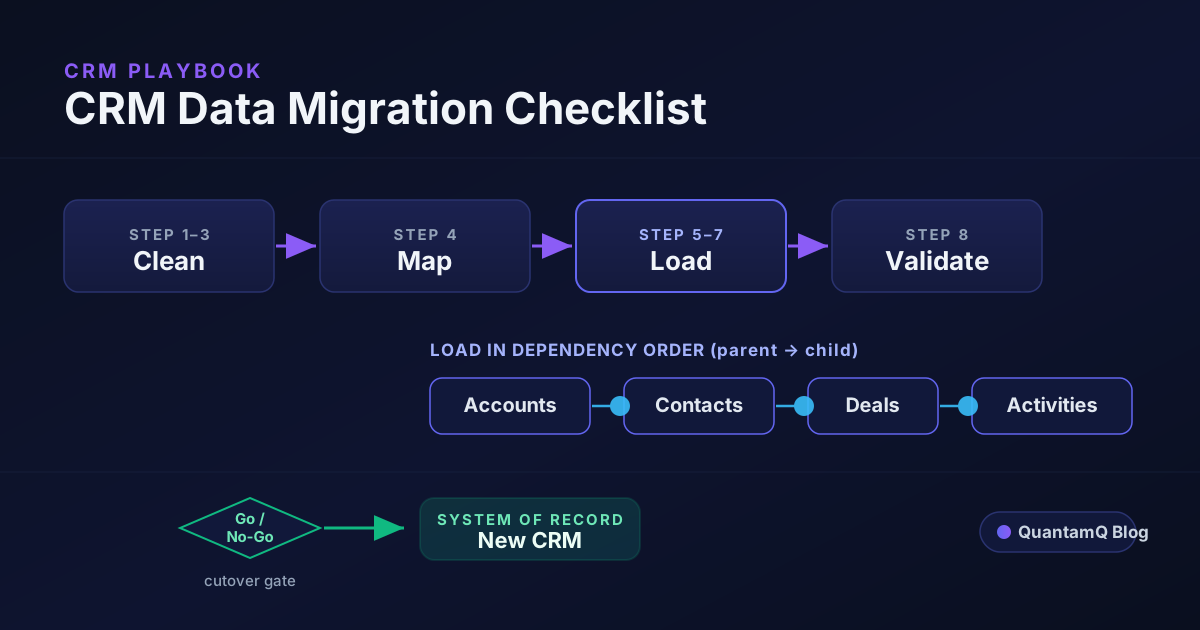
That hybrid is often where the numbers actually land: far less than a full build, far more fitted than a stock subscription, and a much shorter path to value. When you do decide to build — fully or partially — a disciplined CRM data migration is where the real work starts, because a system nobody trusts their data in never pays back regardless of what the spreadsheet said.
Frequently asked questions
How do you calculate the break-even point for a custom CRM?
Compare two running totals over time. For the subscription option, multiply your user count by the per-seat monthly price by the number of months. For the custom option, take the one-off build cost and add annual maintenance spread across the same months. The break-even point is the month where the subscription total catches up to and passes the custom total.
Is a custom CRM cheaper than a subscription CRM?
Not at first, and often not for years. A subscription is cheap to start and gets more expensive as you add users; a custom build is expensive up front and then cheap to run. Custom only becomes cheaper once enough time and enough users have passed for the subscription total to overtake the build-plus-maintenance total — which for small teams can be a very long time, if ever.
When is building a custom CRM worth it?
When your workflow is genuinely unusual and central to how you make money, when per-seat subscription costs are large because of headcount or premium tiers, and when you plan to keep the system long enough to pass the break-even point. If your process is standard, buying almost always wins on cost, speed, and risk.
How long until a custom CRM pays for itself?
It depends entirely on your user count and subscription tier, so calculate it rather than assume. Divide the build cost by the annual subscription you would otherwise pay, then add for maintenance. For many small teams the honest answer is several years or longer, which is why building rarely pays off on cost alone below a certain size.
What ongoing costs does a custom CRM have?
Hosting, security updates, dependency and platform upgrades, bug fixes, and changes as your business evolves. A common planning figure is to budget a meaningful percentage of the original build cost each year for maintenance. Leaving this out is the most common reason a build-versus-buy calculation looks better on paper than it turns out in practice.