What an internal AI knowledge base actually is
Your team already has the answers written down somewhere. They are buried in a shared drive, a wiki no one updates, a folder of PDFs, and the heads of two people who are always busy. An internal AI knowledge base promises to fix that: ask a question in plain language, get an answer drawn from your own documents. The promise is real, but the failures are common — and they almost never come from the AI model. They come from messy data and unchecked answers.
Strip away the marketing and an internal AI knowledge base is a search engine that answers in sentences instead of links. Someone asks, "What is our refund policy for enterprise customers?" The system finds the relevant passages in your own content, reads them, and writes a direct answer — ideally with citations back to the source documents so the reader can verify it.
The important word is your. A general AI assistant knows a lot about the world and nothing about your business. It cannot tell a new hire which approval form to use or what your contract says about late delivery, because that information was never in its training data. An internal knowledge base closes that gap by grounding answers in your documents rather than the model’s memory — and that grounding is what makes it both useful and safe. A system that answers from retrieved source text can show its work; a system that answers from a model’s general knowledge will guess, and a confident guess about your own policies is worse than no answer at all.
Why retrieval beats fine-tuning for most teams
There are two common ways to make an AI assistant "know" your content, and choosing the wrong one wastes months. The first is fine-tuning — further training a model on your documents. The second is retrieval, usually called RAG (retrieval-augmented generation), where the system searches your content at question time and feeds the relevant passages to the model to answer from. For an internal knowledge base, retrieval is almost always the right starting point, for a few practical reasons:
- It stays current. When a policy changes, you update the document and re-index it. With fine-tuning you would need to retrain the model, which is slow and expensive to do every time a file changes.
- It can cite sources. Because the answer is built from specific retrieved passages, you can link back to them. That turns "trust me" into "here is where this came from", which is essential for anything people will act on.
- It controls what the model sees. You decide which documents are in scope, so an answer cannot quietly draw on something it should not — which also makes access control far easier to reason about.
Before you build: the data and access checklist
The hardest part of an internal AI knowledge base is not the AI. It is the state of your content and the rules around who can see it. Work through this before anyone builds a pipeline:
- Pick one document set to start. Resist the urge to ingest everything. Choose a single, high-value, reasonably clean source so you can prove value before scaling.
- Find and resolve contradictions. If two documents disagree about the same policy, the assistant will surface the conflict, not hide it. Decide which is authoritative and retire the rest.
- Remove the stale and the obsolete. Out-of-date content is the fastest route to confident wrong answers. If a document should not be followed any more, it should not be in the index.
- Decide who can see what. Map documents to permission levels early. An answer should never expose content the person asking is not allowed to read.
- Classify anything sensitive. Know where personal data, contracts, or financials sit, and decide whether they belong in the first version at all.
- Name an owner. Every knowledge base needs someone responsible for keeping content current. Without an owner it decays, and a decaying knowledge base quietly becomes a liability.
The build checklist
Once the content and access rules are in order, the build itself follows a well-worn path. You do not need to get every parameter perfect on day one, but you do need each of these pieces:
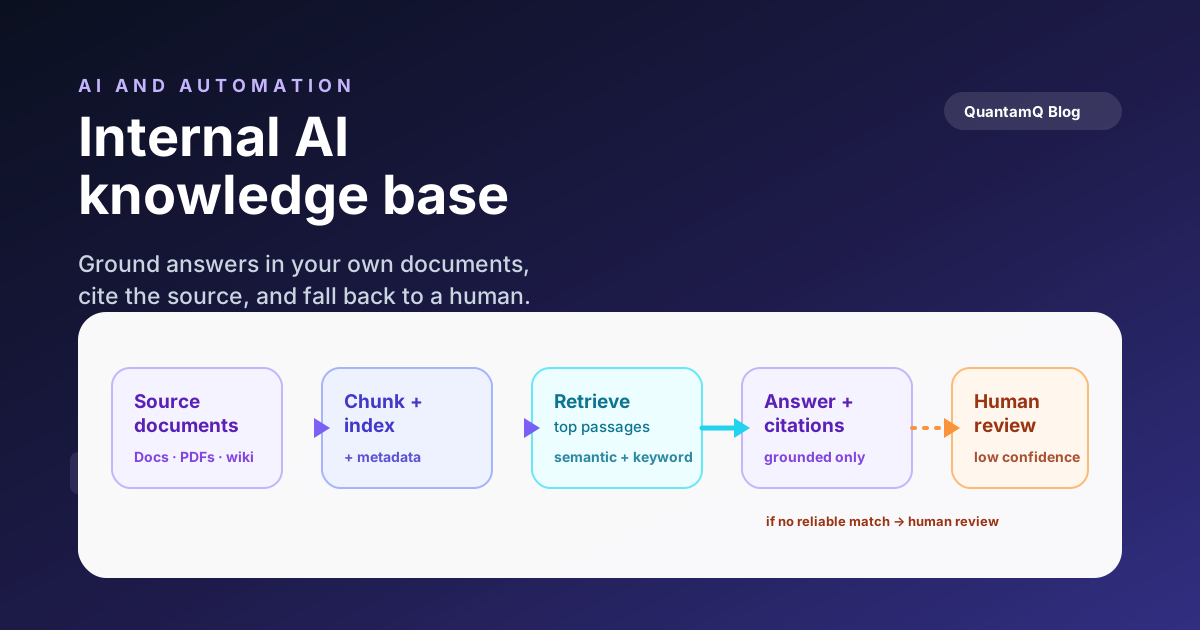
- Ingest and chunk the documents. Long files are split into smaller passages so the system can retrieve just the relevant part. A common starting point is a few hundred tokens per chunk with a small overlap, then tune from there.
- Attach metadata to every chunk. Store the source title, link, owner, effective date, and access level alongside each passage. Metadata is what lets you cite sources, filter by permission, and prefer current documents over old ones.
- Index for retrieval. Embed the chunks and store them so the system can find the most relevant passages. Many teams combine semantic search with keyword search to handle both meaning-based questions and exact-term lookups.
- Build the answer step with citations. The model receives the question and the retrieved passages and answers only from them, returning links to the sources. The instruction to answer only from retrieved content is what keeps it grounded.
- Add a confidence fallback. When retrieval returns nothing relevant, the system should say so rather than improvise. A clear "I don’t know" is a feature, not a failure.
- Plan re-indexing. Documents change. Decide how updates flow into the index — on a schedule or when a file changes — so the assistant never drifts away from the source of truth.
Keeping answers accurate and safe
A knowledge base is not a project you ship and forget. Its value depends entirely on whether people can trust what it says, and trust is maintained, not assumed.
Start with evaluation. Before launch, write a set of real questions your team actually asks and check the answers against the source documents. This becomes your test suite: every time you change the content, the chunking, or the prompts, you re-run it and confirm nothing regressed. Without this, you are tuning blind, and changes that help one question quietly break another.
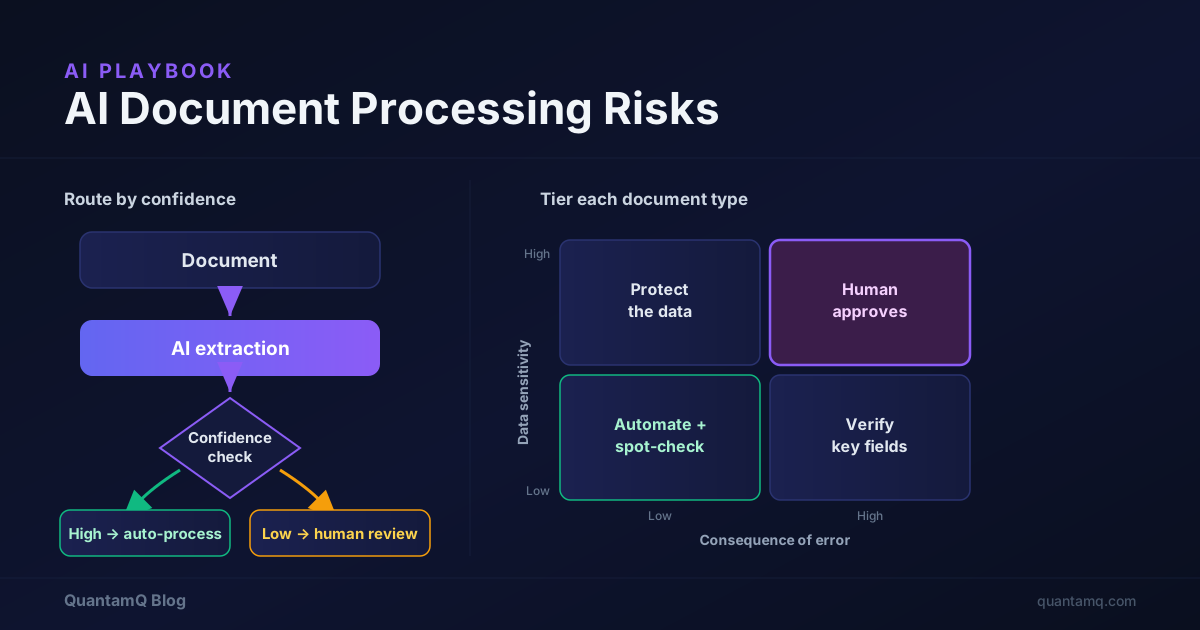
Then keep a human in the loop where stakes are high. For routine lookups, a cited answer is enough. For anything that carries legal, financial, or safety weight, the assistant should support a person’s decision, not replace it. The reliable pattern is the same one that works in support triage: the system handles volume, and people handle the edge cases and the high-stakes calls.
Finally, watch the gaps. Log the questions that return low-confidence or no answers. They are a free roadmap — they tell you exactly which documents are missing, unclear, or out of date, so each round of maintenance makes the system measurably more useful.
Deciding whether it is worth it yet
Not every team needs an internal AI knowledge base today, and building one before you are ready just creates a polished tool over a messy foundation. A short, honest test:
- Volume and repetition. If the same questions are asked over and over and the answers exist in writing, an internal knowledge base pays for itself quickly. If every question is a one-off, the value is thinner.
- Content quality. If your documents are reasonably current and you can name an owner to keep them that way, you are ready. If the content is contradictory and abandoned, fix that first — the assistant will only amplify it.
- Cost of being wrong. The higher the stakes of a wrong answer, the more your design budget should go to citations, evaluation, and human review rather than breadth of coverage.
Start with a pilot, not a platform
If you can answer those questions honestly and the case holds, the path forward is a narrow pilot, not a platform. Prove it on one clean document set, measure the answers, and expand only once the team trusts it. When the work crosses into integrating the assistant with the systems your team already uses, that becomes a Custom Software problem as much as an AI one — and it is worth treating it that way.
The model is the easy part. A useful internal AI knowledge base is mostly good content, clear access rules, and the discipline to check what it tells people. Get those right and the AI does exactly what you wanted: it turns what your team already knows into something anyone can ask.
Frequently asked questions
What is an internal AI knowledge base?
It is a system that lets your team ask questions in plain language and get answers drawn from your own documents — policies, procedures, contracts, product docs — with links back to the source. Most are built using retrieval, where the AI searches your content first and then answers from what it finds.
Is RAG better than fine-tuning a model on our documents?
For most internal knowledge bases, yes. Retrieval keeps answers current, lets you cite sources, and avoids retraining every time a document changes. Fine-tuning is useful for behaviour, tone, or output patterns, but it rarely solves the "answer from our docs" problem on its own.
How long does it take to build an internal AI knowledge base?
A focused pilot over a single, well-organised document set can often be stood up in a few weeks. The longer work is usually data clean-up, access controls, and evaluation — not the AI itself. Scope the pilot narrowly so you learn fast before expanding.
What is the biggest reason these projects fail?
Messy or out-of-date source content and a lack of answer checking. If the underlying documents contradict each other or no one verifies what the system returns, the assistant will confidently repeat the mess. Data quality and evaluation matter more than the model choice.
Can a small business build one without a data team?
Yes. The scope just needs to match the team. A narrow, well-governed knowledge base over a clean document set is very achievable for a small business, especially with a partner to set up retrieval, access controls, and evaluation correctly the first time.