How a spreadsheet quietly becomes a business risk
A spreadsheet is the cheapest, fastest, most flexible tool in business software. Most of them are completely fine and should be left alone.
The few that are not fine usually share three traits: multiple people edit them concurrently, downstream decisions depend on them being right, and nobody can fully explain how every formula works any more. That combination is where data quietly drifts and risk compounds.
What to replace first
Pick the spreadsheet that ranks highest on three criteria: how many people touch it, how much money depends on it, and how often a mistake in it costs the business time to unpick.
That spreadsheet is your first project. Everything else can wait.
A migration pattern that actually works
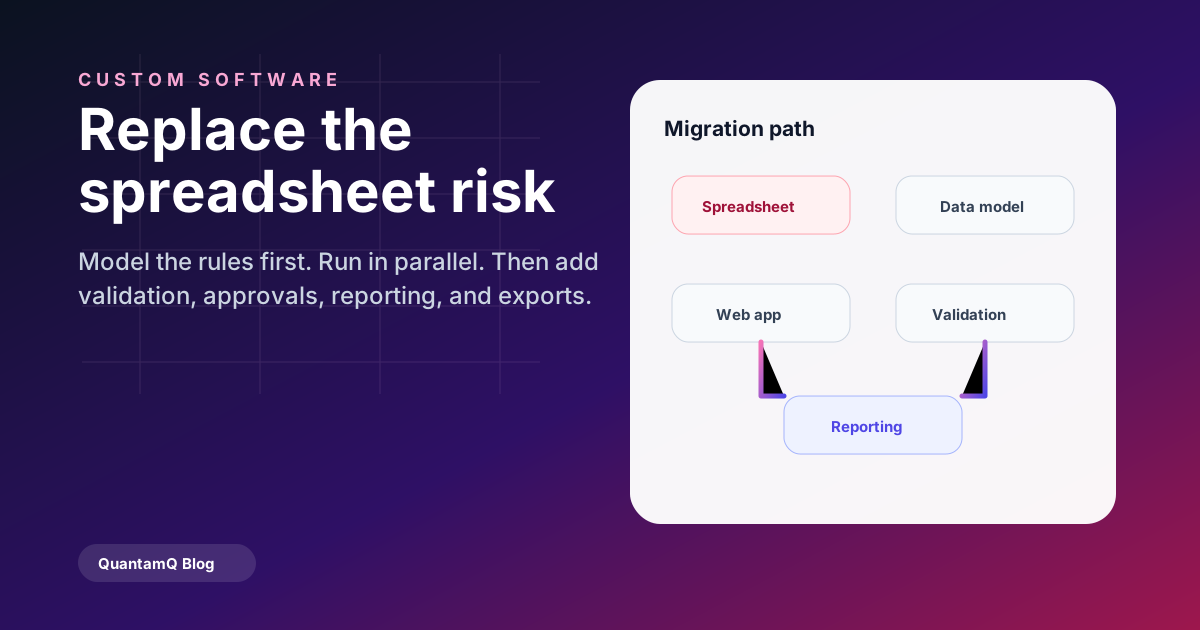
We run the same three-phase pattern on almost every spreadsheet replacement:
- Phase 1 — model the data and rules from the spreadsheet exactly, no improvements yet.
- Phase 2 — ship a small web app that reads, writes, and validates that data with real users, alongside the spreadsheet for the first month.
- Phase 3 — switch the spreadsheet to read-only, layer in the improvements (validation, approvals, reporting), and keep an export-to-spreadsheet feature for the first year.
Frequently asked questions
How long does spreadsheet replacement usually take?
For a single critical spreadsheet, expect six to twelve weeks to a stable first version. That includes data modelling, a usable web UI, validation, and a parallel-run window with real users.
Can the new tool integrate with our existing systems?
Almost always. Most spreadsheet replacements pair well with an accounting tool (Xero, MYOB), a CRM, and an identity provider for sign-on. We design integrations as part of the scope, not as an afterthought.